For self-publishers on Amazon KDP
Your book. Print-ready. Beautiful.
Papyrus Peak formats your manuscript, designs your cover, builds your eBook and checks everything against KDP's requirements. Novels, children's books and non-fiction – in one app, no design software needed.
Free trial · Buy once, no subscription
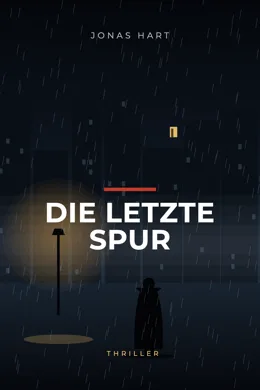
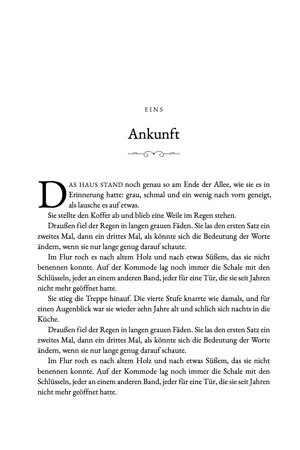
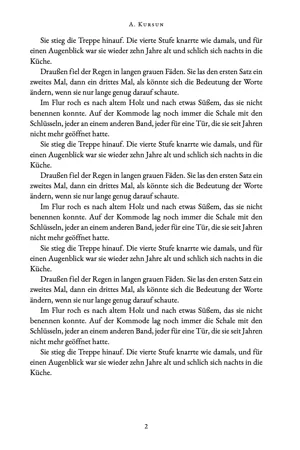

Every example on this page was typeset and designed with Papyrus Peak.
You've written a book. Why is the rest so hard?
Page breaks shift, chapters start on the left, page numbers appear on blank pages.
Calculating the spine yourself, forgetting bleed, covering the barcode area.
Margins too narrow, fonts not embedded, wrong trim size – and back to the start.
Paying a typesetter or designer for every correction and waiting for days.
It's that simple
From manuscript to finished book in three steps.
Drop in Word, PDF or text. Chapters, images and tables are recognised.
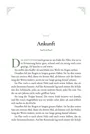
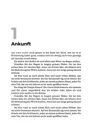
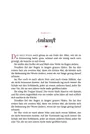
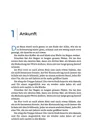

Tap one of 12 book styles – and fine-tune every detail.
The KDP check runs automatically. Download print PDF, cover and EPUB, upload to KDP, done.
Before · After
Raw text becomes a book.
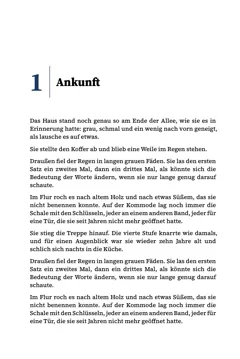
Drag the slider: on the left your manuscript as it comes out of the word processor. On the right the same page in Papyrus Peak – with drop cap, ornament, justification, hyphenation and KDP margins.
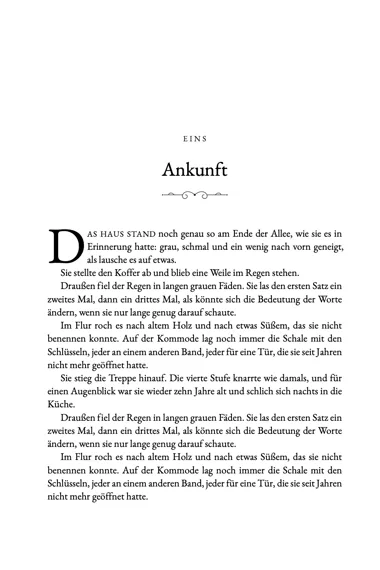
Kapitel 1
Ankunft
Das Haus stand noch genau so am Ende der Allee, wie sie es in Erinnerung hatte: grau, schmal und ein wenig nach vorn geneigt, als lausche es auf etwas.
Sie stellte den Koffer ab und blieb eine Weile im Regen stehen.
Draußen fiel der Regen in langen grauen Fäden. Sie las den ersten Satz ein zweites Mal, dann ein drittes Mal, als könnte sich die Bedeutung der Worte ändern, wenn sie nur lange genug darauf schaute.
Im Flur roch es nach altem Holz und nach etwas Süßem, das sie nicht benennen konnte.
Examples
What you make with Papyrus Peak.
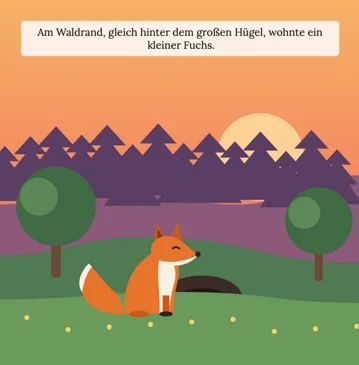
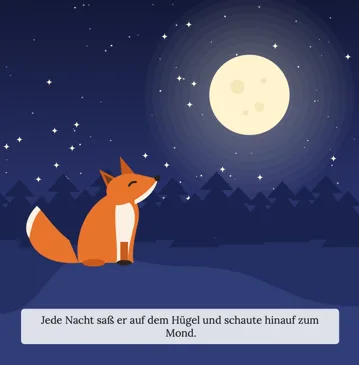
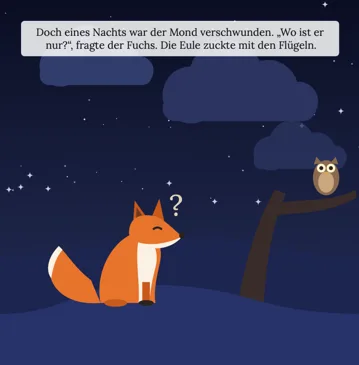
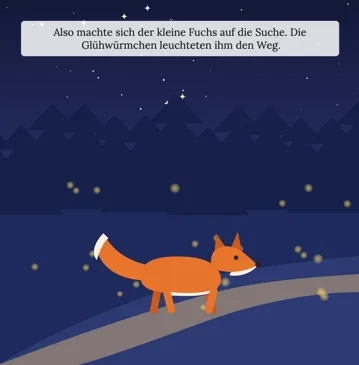
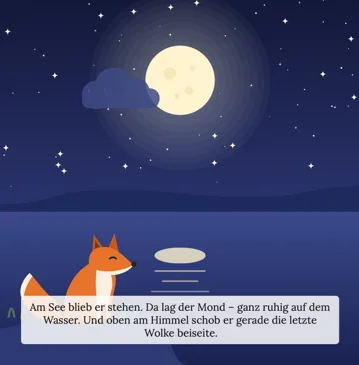
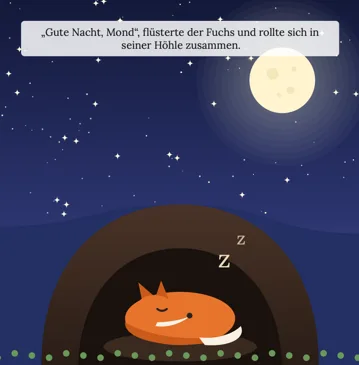
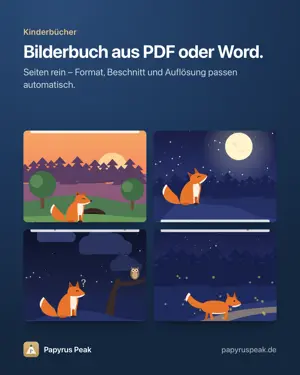
Children's book 8.5 × 8.5 in with bleed. Images and text from Word or finished PDF pages – Papyrus Peak fits trim size, bleed and resolution automatically.
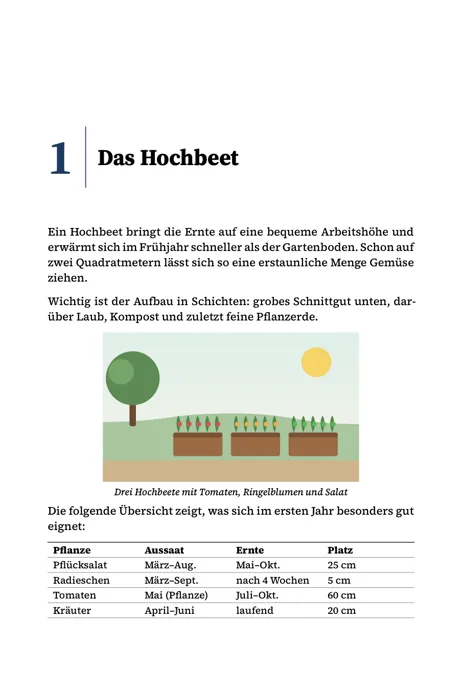
Add rows and columns, merge cells, drag column widths. Long tables break cleanly across pages and repeat the header.
In the text, beside a paragraph or anywhere on the page – always within the text area. The app warns you when an image is too small for print.
Tables and images from your Word file come along on import.

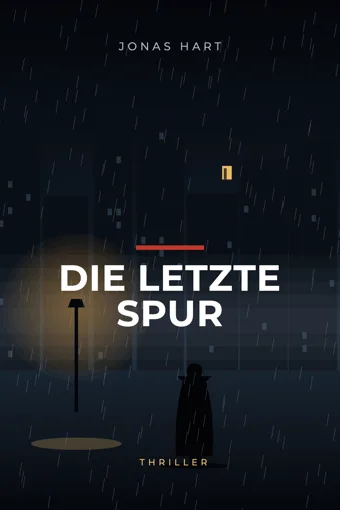

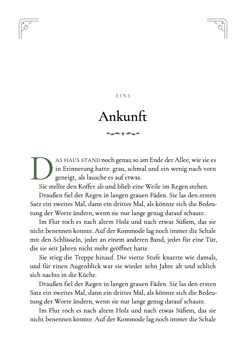
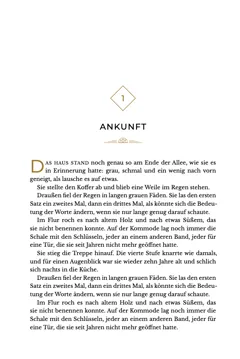
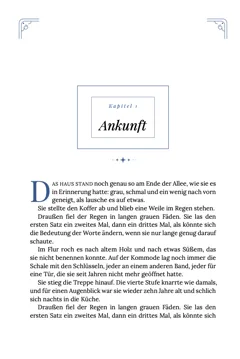
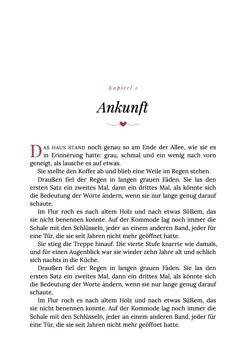
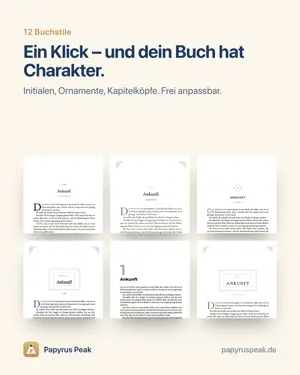
12 book styles
One click – and your book has character.
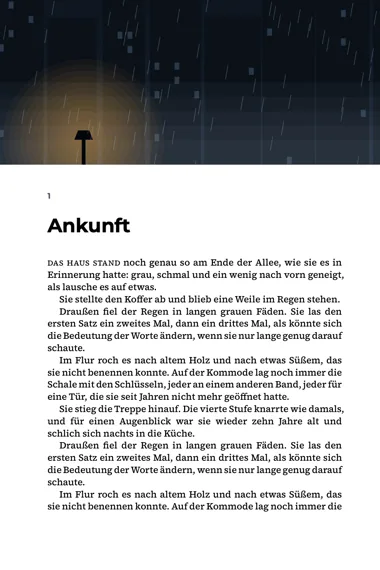
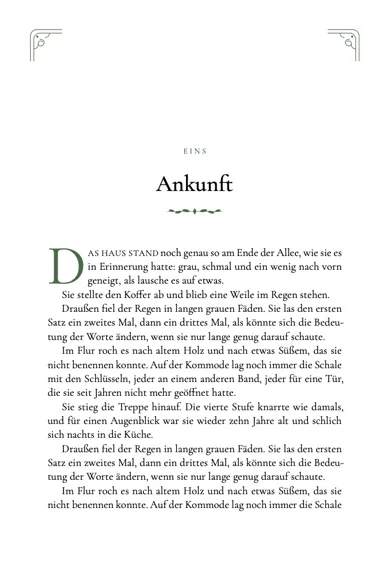
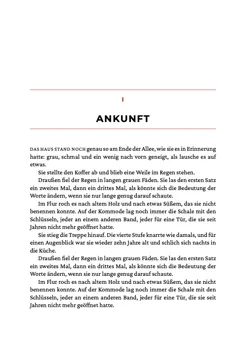
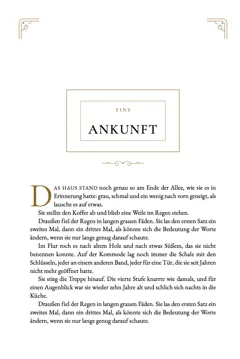
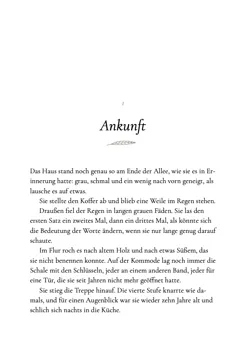
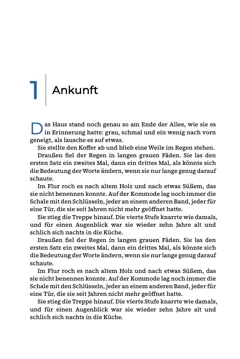
Every style is a starting point: fonts, drop caps, ornaments, chapter headings and running heads can be adjusted freely and saved as your own style.
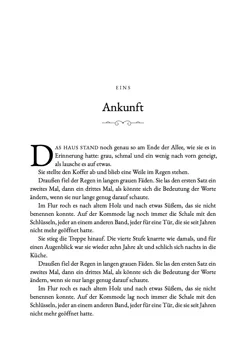


Every KDP trim size
From mass-market to A4 – every trim size in one click.
Choose the trim size when you create a book. Papyrus Peak calculates margins, gutter, bleed and cover dimensions for every Amazon KDP paperback size – and adjusts everything when you change it later.
The app adds blank pages itself – without page numbers or running heads.
Half title, title, copyright, contents, foreword – in the right order.
The print PDF always ends cleanly on a left-hand page.
One app for everything
Write. Typeset. Cover. Check. Upload.
Word, PDF or text. Chapters are recognised; you fix anything with one click.
Drag images anywhere on the page, add tables in one click – typeset cleanly, broken across pages.
Import finished pages as PDF or Word with images. Trim size, bleed and image resolution are fitted and checked automatically.
Drop caps, ornaments, chapter images, corner flourishes and running heads. Save your own styles.
Every book is its own file on your computer, with automatic backups. Nothing gets lost.
Margins, page count, image resolution and fonts are checked before download – and the finished file once more afterwards.
The app speaks English and German and typesets books in both languages with correct hyphenation.
Work in light or dark appearance – the book page always stays paper white.
The app announces new versions itself and updates with one click.
Cover designer
Your cover – no extra design software.
Front, spine and back in one editor. Everything you need for a professional cover is built in – and the KDP dimensions are always right.
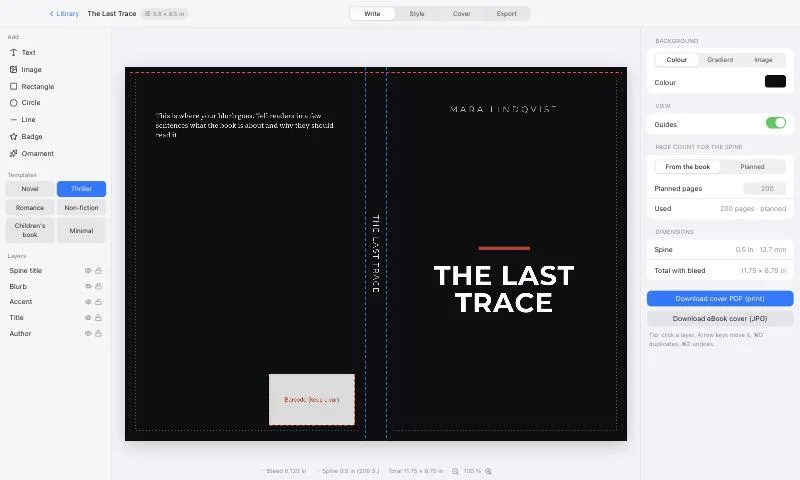
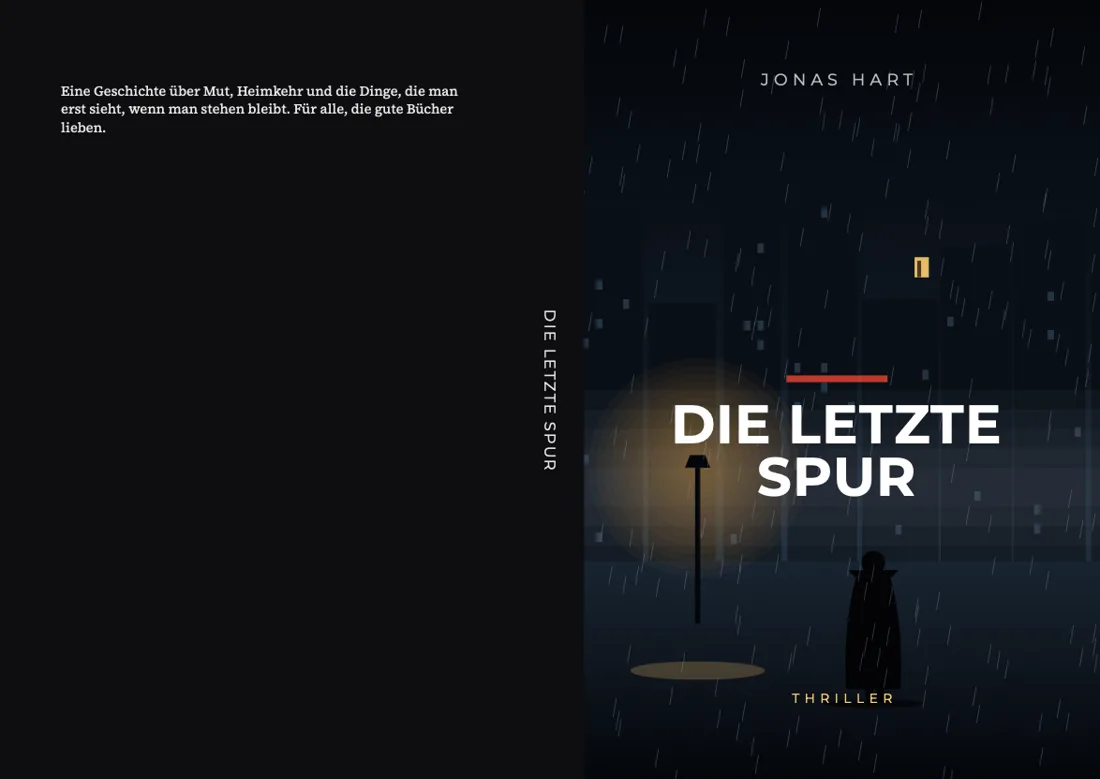

Your own image edge to edge across the whole cover or just the front, crop by focal point, darken for readable text.

Crop, rotate, flip, brightness, contrast, warmth, blur, black & white, sepia and duotone.
Linear and radial gradients, matching palettes and colours taken straight from your image.
Shadow, outline, colour band behind the text, letter spacing and capitals in beautiful book fonts.
Circles, lines, frames, badges and original ornaments – in any colour.
Spine width from page count and paper, bleed, safe areas and barcode box. The cover PDF fits first time.
Export: cover PDF for the paperback and eBook cover (1600 × 2560 px) for Kindle.
Print and eBook
One file in. Everything for KDP out.
The paperback and the eBook come from the same book. Upload the files straight to Amazon KDP.
PDF/A with embedded fonts, exact trim size and KDP margins. After export the app checks the file again.
Back, spine and front at the exact size with bleed – matching your page count and paper.
eBook for Kindle and every e-reader: contents, cover, images, tables and your book style.
JPG at 1600 × 2560 px – exactly what KDP recommends for Kindle books.
Why Papyrus Peak?
| Papyrus Peak | Word processor + design software | |
|---|---|---|
| Runs on Mac and Windows | ✓ | ✓ |
| Book formatting with ready-made styles | ✓ | tedious by hand |
| Cover editor in KDP dimensions | ✓ | second app needed |
| Every KDP trim size, print PDF and EPUB | ✓ | tedious by hand |
| KDP check before upload | ✓ | – |
| Images, tables and children's books | ✓ | tedious by hand |
| Buy once instead of a subscription | ✓ | usually subscriptions |
Free tool
Calculate your KDP spine instantly
Buy once. Use forever.
Every feature, no subscription. Try it free first, then unlock it with your licence key.
Try for freeNo VAT is charged under § 19 UStG (German small-business rule).




Frequently asked questions
Does Amazon KDP accept the files?+
Papyrus Peak creates print PDFs as PDF/A with the exact trim size, embedded fonts and KDP's minimum margins for your page count. The app checks the requirements before download and checks the saved file again afterwards.
How much does Papyrus Peak cost?+
Papyrus Peak: €190 one-time. No VAT is charged under § 19 UStG (German small-business rule).
Which trim sizes can I choose?+
Every Amazon KDP paperback size – from 5 × 8 in through 6 × 9 in up to A4, plus square and landscape sizes for picture books. Choose it when you create a book and change it any time.
Do I get an eBook too?+
Yes. Papyrus Peak exports an EPUB for Kindle and every other e-reader – with contents, cover, images, tables and your book style. Plus the eBook cover as a JPG.
Can I try the app before buying?+
Yes. In the trial you can do everything: import, write, choose styles, design covers and use the KDP check. Only exporting the finished files requires the full version.
A security prompt appears when I open it – is that normal?+
Yes. Papyrus Peak is distributed directly through our website, so your system asks once on first launch. The step-by-step guide for Mac and Windows is under “Installation”. After that the app starts normally.
Where are my books saved?+
On your computer, in the folder “Documents/Papyrus Peak” – each book as its own file, with daily backups. The app saves automatically and asks when you quit if anything is still open.
On how many devices can I use it?+
One licence covers one device (Mac or Windows). On a new computer, sign out the old device in the settings and activate the new one.
Can I make children's books with pictures?+
Yes. Import finished pages as a PDF from your design app or a Word file with images. Papyrus Peak fits the pages to the KDP trim size with bleed and checks the image resolution.
Do I need design software for the cover?+
No. The cover editor has image editing, gradients, text effects, shapes and ornaments built in, knows spine width, bleed and barcode area and exports a print-ready cover PDF plus the eBook cover.
Is the app available in English?+
Yes. Switch the language in the settings. Papyrus Peak typesets books in English and German – with matching hyphenation and page titles.
Do I get updates?+
Yes. The app tells you as soon as a new version is available and updates with one click. What's new is also on the blog.